Remixer
Website Builder
Easily Build Your Dream Website
Don't know code? No problem. Our DIY Website Builder makes building a website as easy as sending an email.
Start Building for FreeWatch how it works
* No Credit Card Required
Build Your Dream Site in Minutes with Remixer
Making a website with Remixer is simple thanks to these easy-to-use features.
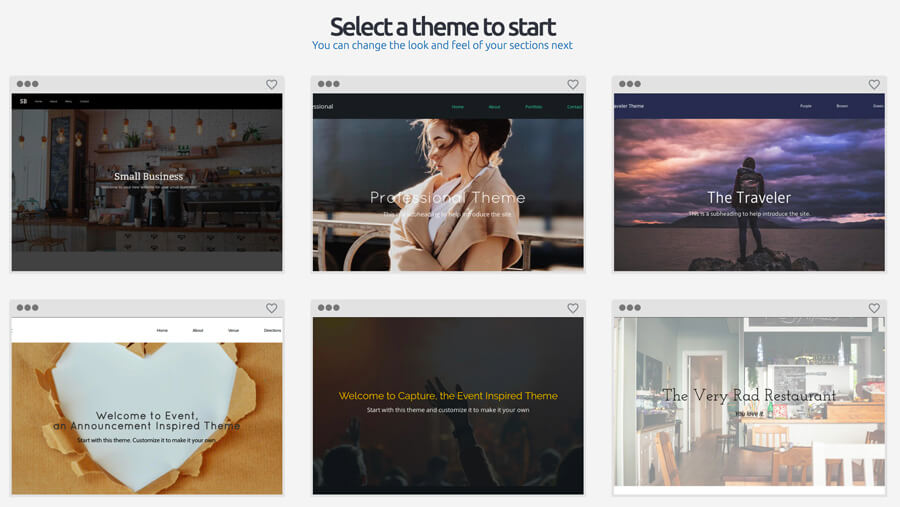
Gorgeous Customizable Themes
Choose from our library of professionally-crafted themes to help get you started. Then bring your website to life by customizing the mobile optimized theme to fit your personal brand.
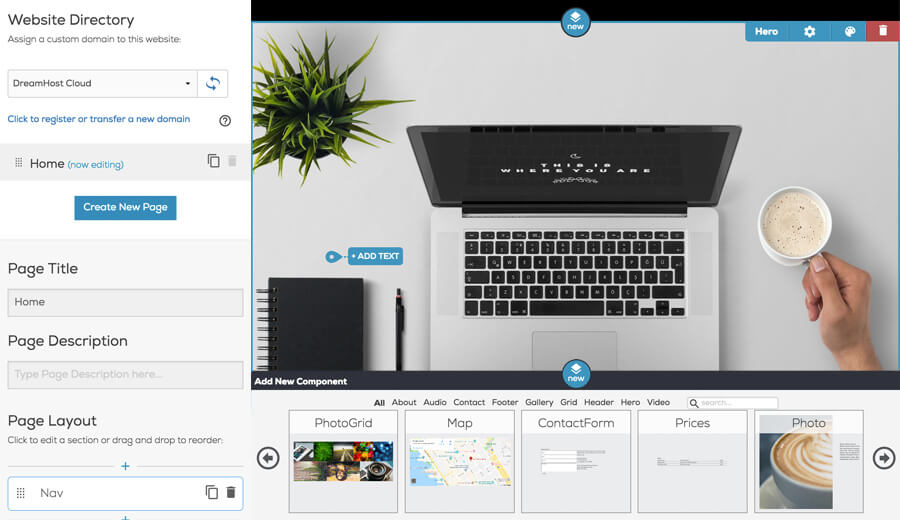
Easy Click-to-Edit Website Builder
Personalize your site with absolutely no coding involved! You can easily customize your page by adding different page sections like contact forms, image galleries, location maps, menus, and more!
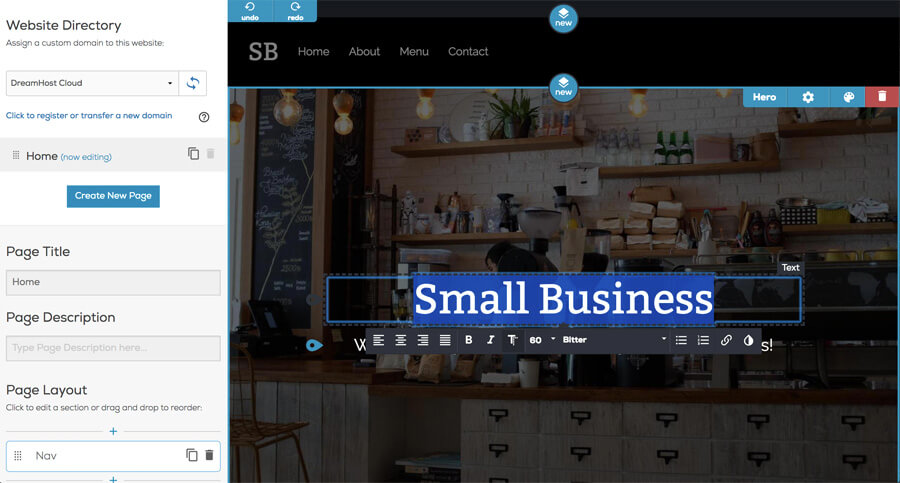
Customized Colors and Fonts
Use custom colors for text or background sections to highlight your individual style. Then choose from a broad selection of fonts to find one that perfectly matches your unique brand.
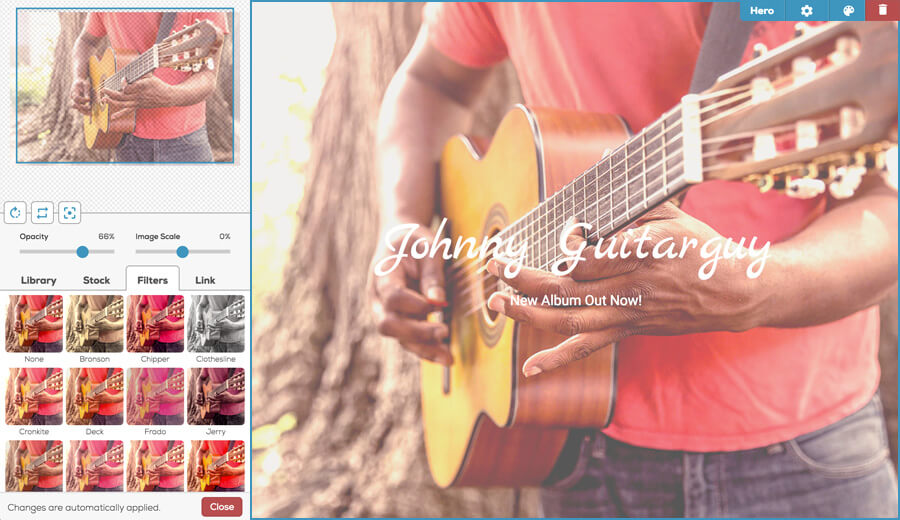
Stunning Filters and Image Editing
Gone are the days of #nofilter. With easy access to your image library, you can use our image editor to apply beautiful filters or rotate, scale, and crop your images to make your site pop!
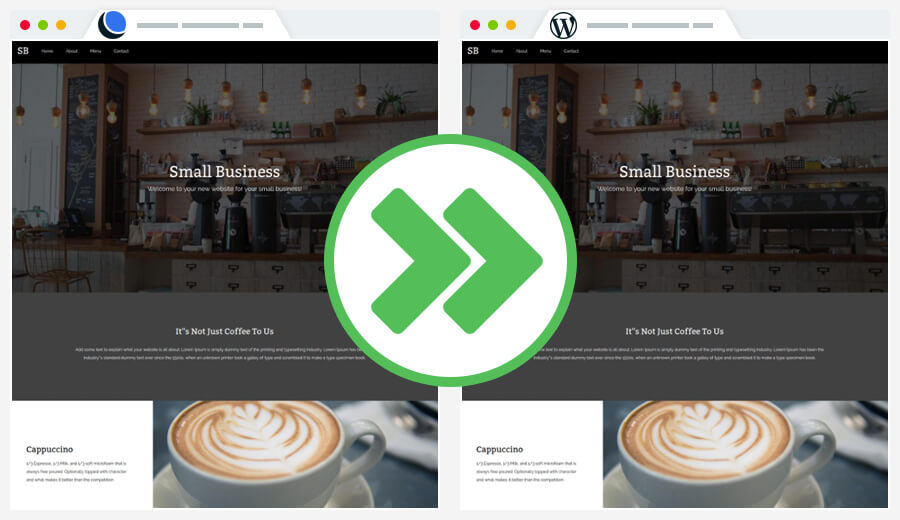
Export to WordPress Easily
Combine the simplicity of Remixer with the familiarity of WordPress. Export your site to take advantage of powerful WordPress features, including: SSL certificates, blogging, eCommerce, use of WP plugins, custom edits, and more.
Website Builder Features
Get Inspired by Other Remixer Users

"Word of mouth can only go so far. As my business grows, I need a place to showcase what I’m doing. Remixer has allowed me to quickly put up a site and share my passion."
Chef | Upinyourkitchen.com

"I ended up choosing Remixer because it was the simplest way for me to just focus on my business, produce great pieces, and not have to worry about maintaining a website all the time. It was simple, it was easy, and it kept me in the garage, making sure pieces are perfect. I don’t have to worry about my website being perfect because it already is."
Leatherworker | 174leatherworks.com

"With my Remixer site, I don't have to worry about all the web stuff. I can just focus on my work and my clients."
Barber | Goodcompanybarber.com
We Included Everything You Need
Transparent pricing with a risk-free, 97-day money back guarantee.
RemixerStandard
Build the site of your dreams in a matter of minutes.
Starting at$4.95/mo
- Remixer Builder
- Unlimited Websites
- Unlimited Pages
- Mobile-Friendly Pages
- Hosting Included
- 24/7 Live Support
RemixerAll Access
Everything in our Standard Plan plus email!
Starting at$7.95/mo
- Remixer Builder
- Unlimited Websites
- Unlimited Pages
- Mobile-Friendly Pages
- Hosting Included
- 24/7 Live Support
- Email Accounts
- Mail Forwarding
The DreamHost Difference
Frequently Asked Questions
You can easily create a ready-to-publish website by following these simple steps:
Select a theme
Edit a theme
Preview your page
Assign the page to your domain
Enter the same account owner login credentials you use for the DreamHost panel.
When the 'Authorize Remixer...' prompt appears, click the blue Grant Access button to open Remixer.